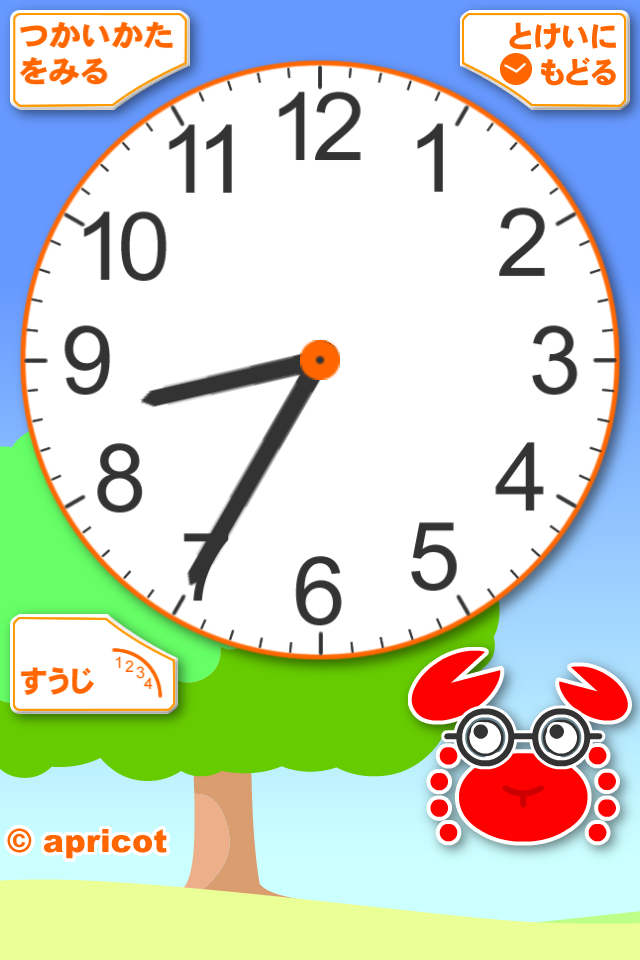
自作アプリのアップデートの一環で、背景画像の切り替えを固定した時間ではなく、月によって時間が変わるようにしたくなりました。
時間と月を多次元配列に入れて試してみました。
まず、以下は配列にする前の背景切り替えメソッドです。
- (void)setBackLayer {//背景を決める
    if (5 <= now_h && now_h <6 ) {
        self.view.layer.contents =(id)[UIImage imageNamed:@"oboeyo_back_morning0.png"].CGImage;
    } else if (6 <= now_h && now_h < 7 ) {
        self.view.layer.contents =(id)[UIImage imageNamed:@"oboeyo_back_morning1.png"].CGImage;
    } else if (7 <= now_h && now_h < 10 ) {
        self.view.layer.contents =(id)[UIImage imageNamed:@"oboeyo_back_morning.png"].CGImage;
    } else if (10 <= now_h && now_h < 15 ) {
        self.view.layer.contents =(id)[UIImage imageNamed:@"oboeyo_back_day.png"].CGImage;
    } else if (15 <= now_h && now_h < 16 ) {
        self.view.layer.contents =(id)[UIImage imageNamed:@"oboeyo_back_afternoon.png"].CGImage;
    } else if (16 <= now_h && now_h < 17 ) {
        self.view.layer.contents =(id)[UIImage imageNamed:@"oboeyo_back_sunset.png"].CGImage;
    } else if (17 <= now_h && now_h < 18 ) {
        self.view.layer.contents =(id)[UIImage imageNamed:@"oboeyo_back_sunset2.png"].CGImage;
    } else if (18 <= now_h && now_h <= 24) {
        self.view.layer.contents =(id)[UIImage imageNamed:@"oboeyo_back_night.png"].CGImage;
    } else if (0 < now_h && now_h < 4) {
        self.view.layer.contents =(id)[UIImage imageNamed:@"oboeyo_back_night.png"].CGImage;
    }
}
これだと、背景の切り替えがif文に入力した時間で固定されてしまいます。
多次元配列を使って、背景を切り替える時間を月で変えるようにしたのが以下の配列とメソッドです。
int curMonth;
int bg_period[10][12] = {
    {6,6,5,5,5,4,4,4,5,5,6,6},
    {7,7,6,6,6,5,5,5,6,6,7,7},
    {8,8,7,7,7,6,6,6,7,7,8,8},
    {10,10,9,9,9,8,8,8,9,9,10,10},
    {14,14,15,15,16,16,16,16,16,15,15,14},
    {15,15,16,16,17,18,18,17,17,16,16,15},
    {16,16,17,17,18,19,19,18,18,17,17,16},
    {17,17,18,18,19,20,20,19,19,18,18,17},
    {25,25,25,25,25,25,25,25,25,25,25,25},
    {0,0,0,0,0,0,0,0,0,0,0,0}
};

- (void)setBackLayer {//背景を決める
    if (bg_period[0][curMonth] <= now_h && now_h < bg_period[1][curMonth]) {
        self.view.layer.contents =(id)[UIImage imageNamed:@"oboeyo_back_morning0.jpg"].CGImage;
    } else if (bg_period[1][curMonth] <= now_h && now_h < bg_period[2][curMonth]) {
        self.view.layer.contents =(id)[UIImage imageNamed:@"oboeyo_back_morning1.jpg"].CGImage;
    } else if (bg_period[2][curMonth] <= now_h && now_h < bg_period[3][curMonth]) {
        self.view.layer.contents =(id)[UIImage imageNamed:@"oboeyo_back_morning.jpg"].CGImage;
    } else if (bg_period[3][curMonth] <= now_h && now_h < bg_period[4][curMonth]) {
        self.view.layer.contents =(id)[UIImage imageNamed:@"oboeyo_back_day.jpg"].CGImage;
    } else if (bg_period[4][curMonth] <= now_h && now_h < bg_period[5][curMonth]) {
        self.view.layer.contents =(id)[UIImage imageNamed:@"oboeyo_back_afternoon.jpg"].CGImage;
    } else if (bg_period[5][curMonth] <= now_h && now_h < bg_period[6][curMonth]) {
        self.view.layer.contents =(id)[UIImage imageNamed:@"oboeyo_back_sunset.jpg"].CGImage;
    } else if (bg_period[6][curMonth] <= now_h && now_h < bg_period[7][curMonth]) {
        self.view.layer.contents =(id)[UIImage imageNamed:@"oboeyo_back_sunset2.jpg"].CGImage;
    } else if (bg_period[7][curMonth] <= now_h && now_h < bg_period[8][curMonth]) {
        self.view.layer.contents =(id)[UIImage imageNamed:@"oboeyo_back_night.jpg"].CGImage;
    } else if (bg_period[9][curMonth] < now_h && now_h < bg_period[0][curMonth]) {
        self.view.layer.contents =(id)[UIImage imageNamed:@"oboeyo_back_night.jpg"].CGImage;
    }
}
配列を入れ子にして、子の配列には背景を切り替える時間を12ヶ月分の時間割とし、その親は実際に切り替える背景の分だけ時間割を用意するという感じです。
現在の月(curMonth)は、アプリ初期化の際にNSDateから取得します。
- (void) getMonth {
    NSDate *today =[NSDate date];

    // NSCalendar を取得。
    NSCalendar* calendar = [NSCalendar currentCalendar];

    // 取得したい要素(年と月)を表すフラグを添えて、日付からその情報を持った NSDateComponents を取得。
    NSDateComponents* components = [calendar components:NSYearCalendarUnit|NSMonthCalendarUnit fromDate:today];

    // NSDateComponents から月を取得。
    //NSInteger year = components.year;
    curMonth = components.month -1;
}
取得の方法は、こちらのサイト(「Easy Network.」)を参考にさせていただきました。
時が変わる度に、このメソッドを確認すれば背景画像を切り替えることができることになります。
もうちょっとスマートな方法があると思うのですが、動いてるのでOKです。